
Pynwheel Tour product tour: how a self-guided apartment tour works
Follow a prospect through a Pynwheel self-guided tour, from browsing the property map to scheduling, ID verification, smart-lock access, map-based wayfinding and applying on the spot. Plus everything your leasing team sees along the way.
01 / AVAILABILITY
It starts on the map
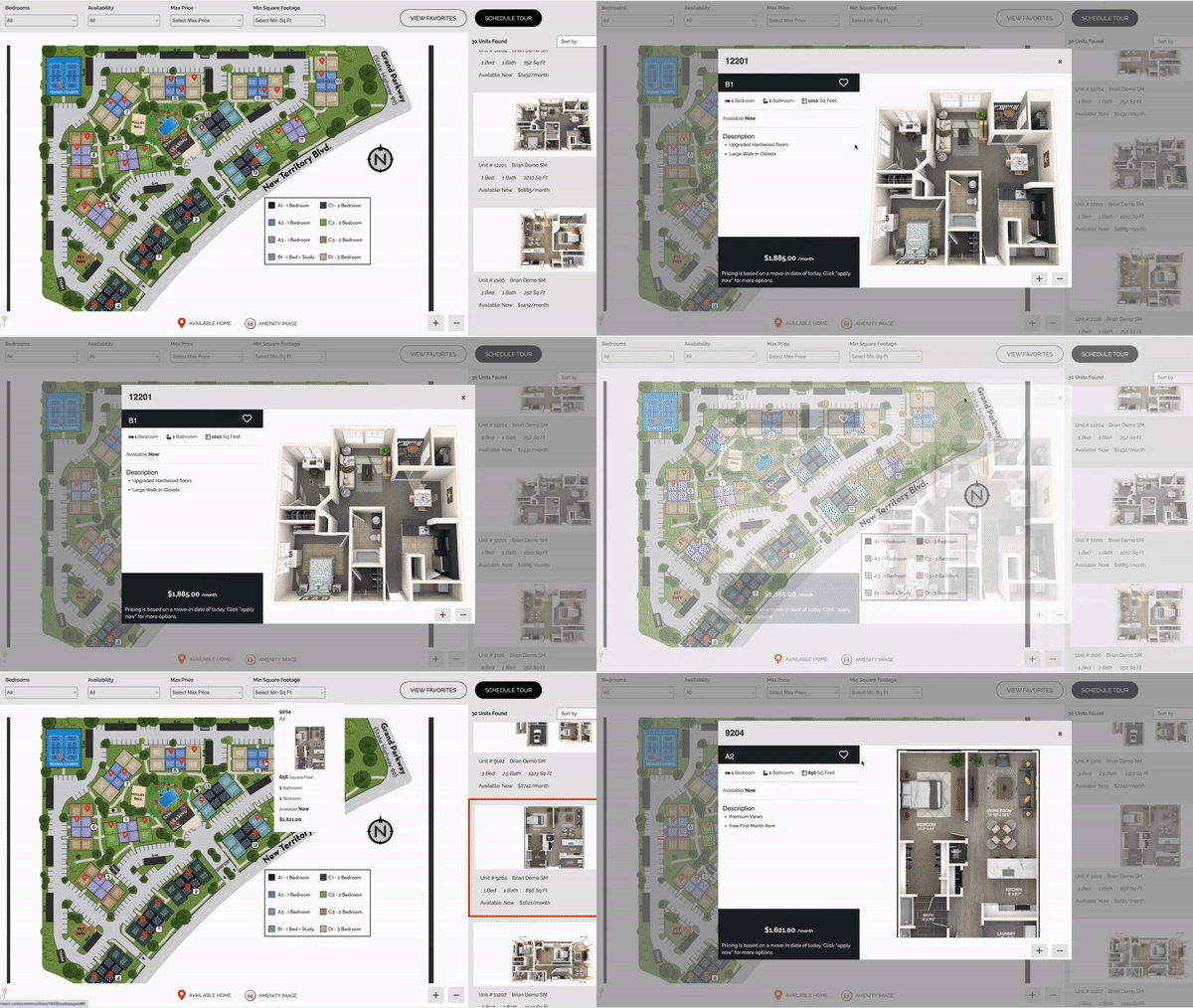
Prospects browse available homes on your website’s interactive property map, powered by Pynwheel, and pick what they want to see.
02 / SCHEDULING
Book it, then forget it
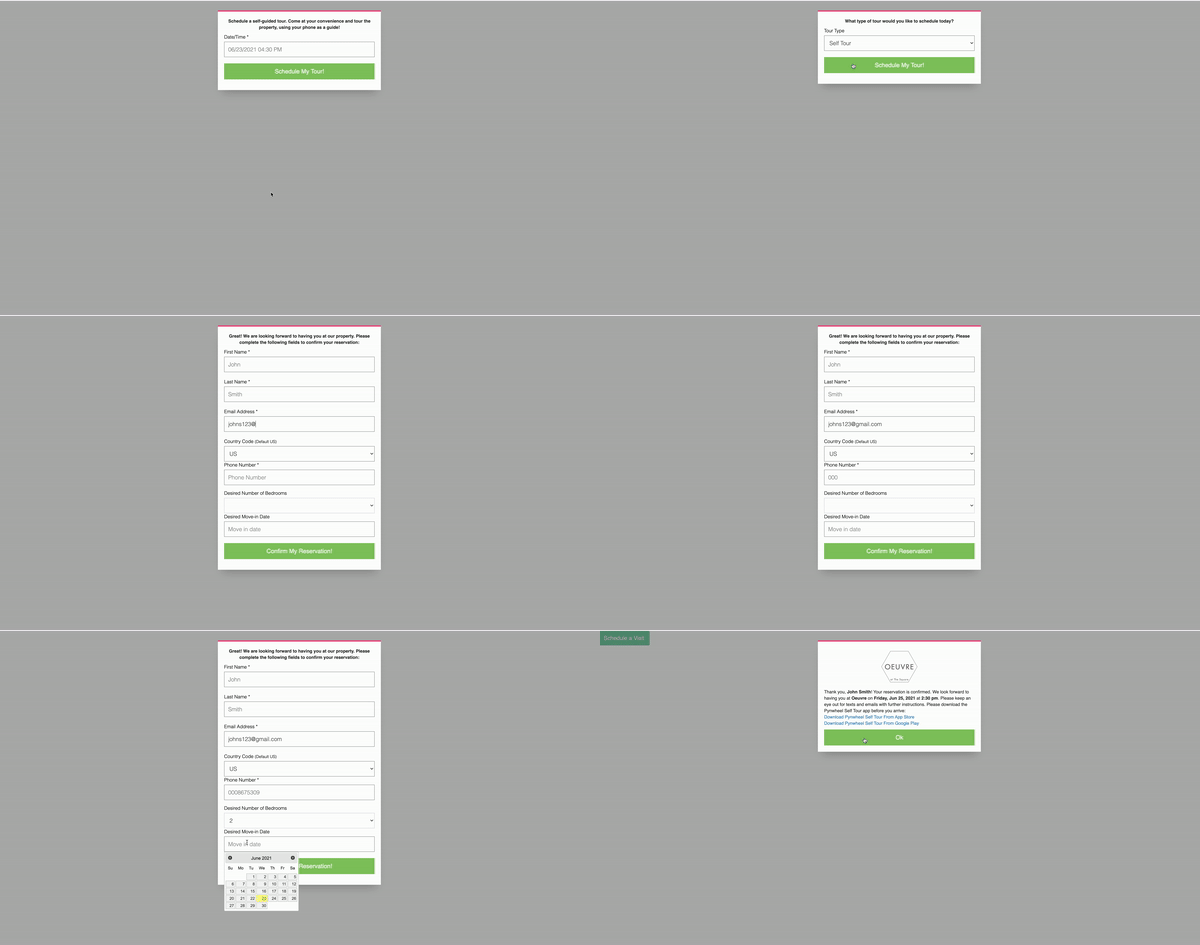
Use Pynwheel’s scheduler widget or your own. Prospects pick a time, authenticate a credit card and download the app, and auto-reminders tell them when to arrive and where to start.
03 / SECURITY
Verified before the first door opens
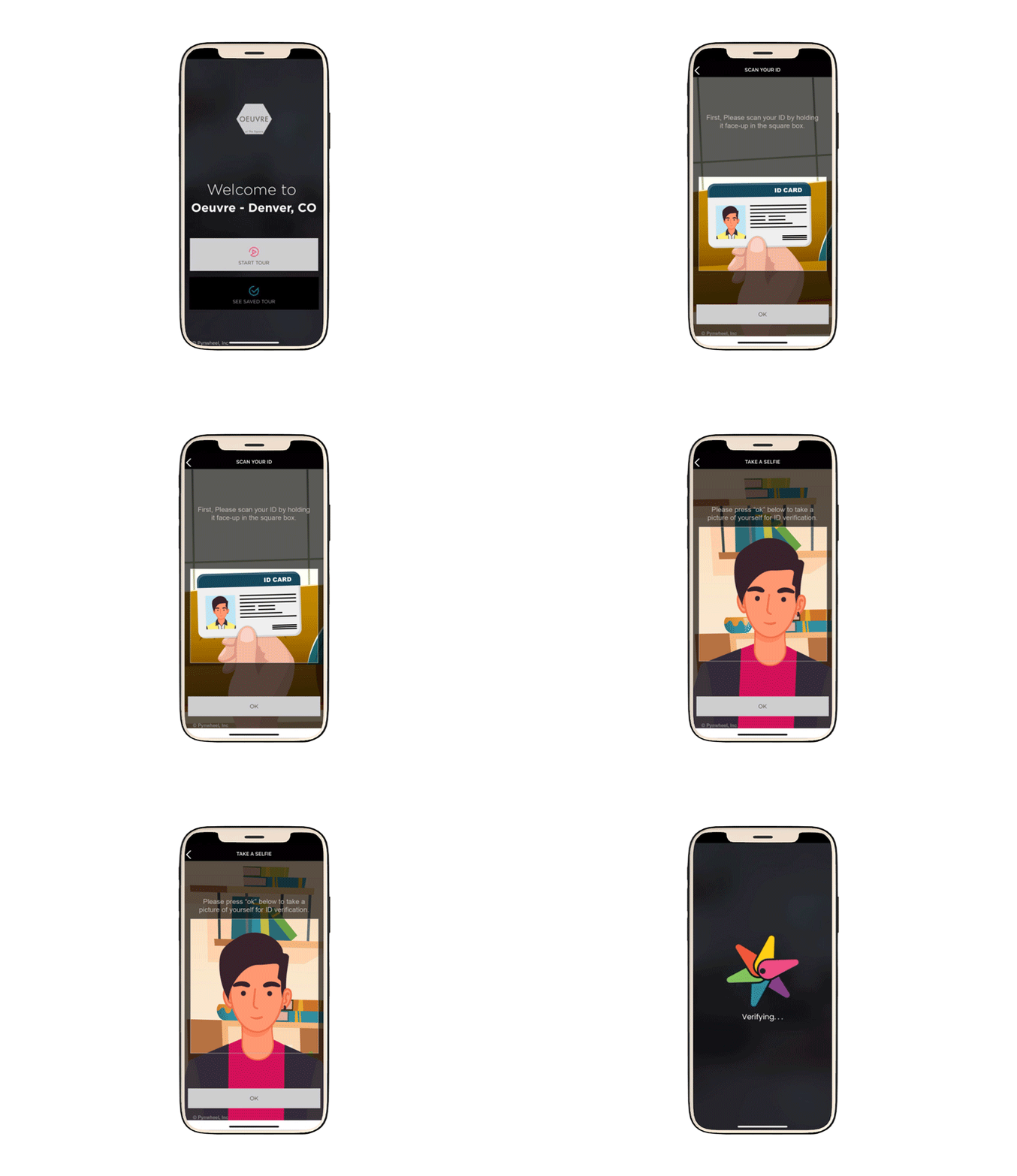
Prospects upload an image of their photo ID and snap a selfie once they’re on-site, so you know exactly who’s touring.
04 / TOUR CUSTOMIZATION
Their tour, their route
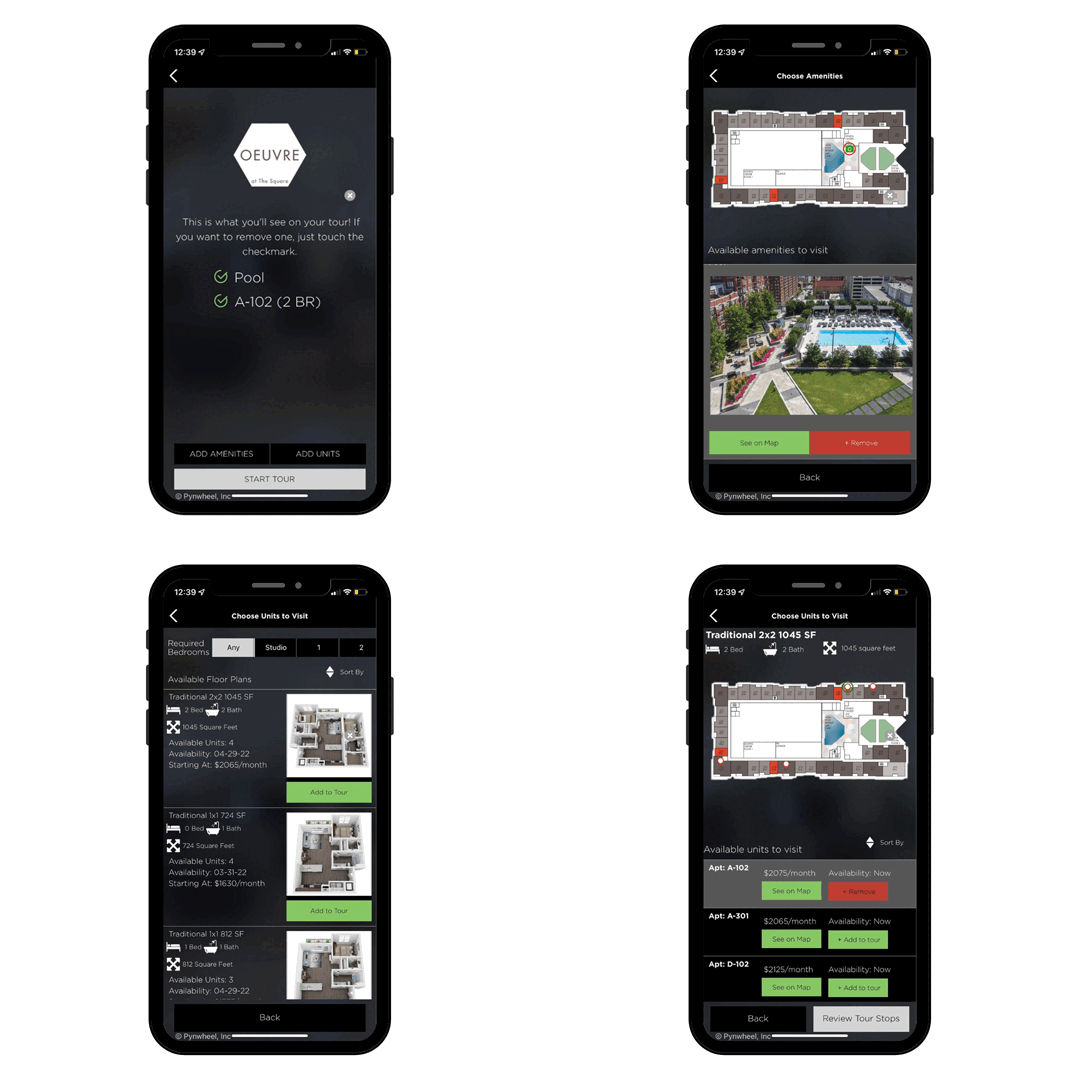
Any available unit or amenity can be added to the tour, and the route on the property map updates automatically.
05 / WAYFINDING
Always know where you are
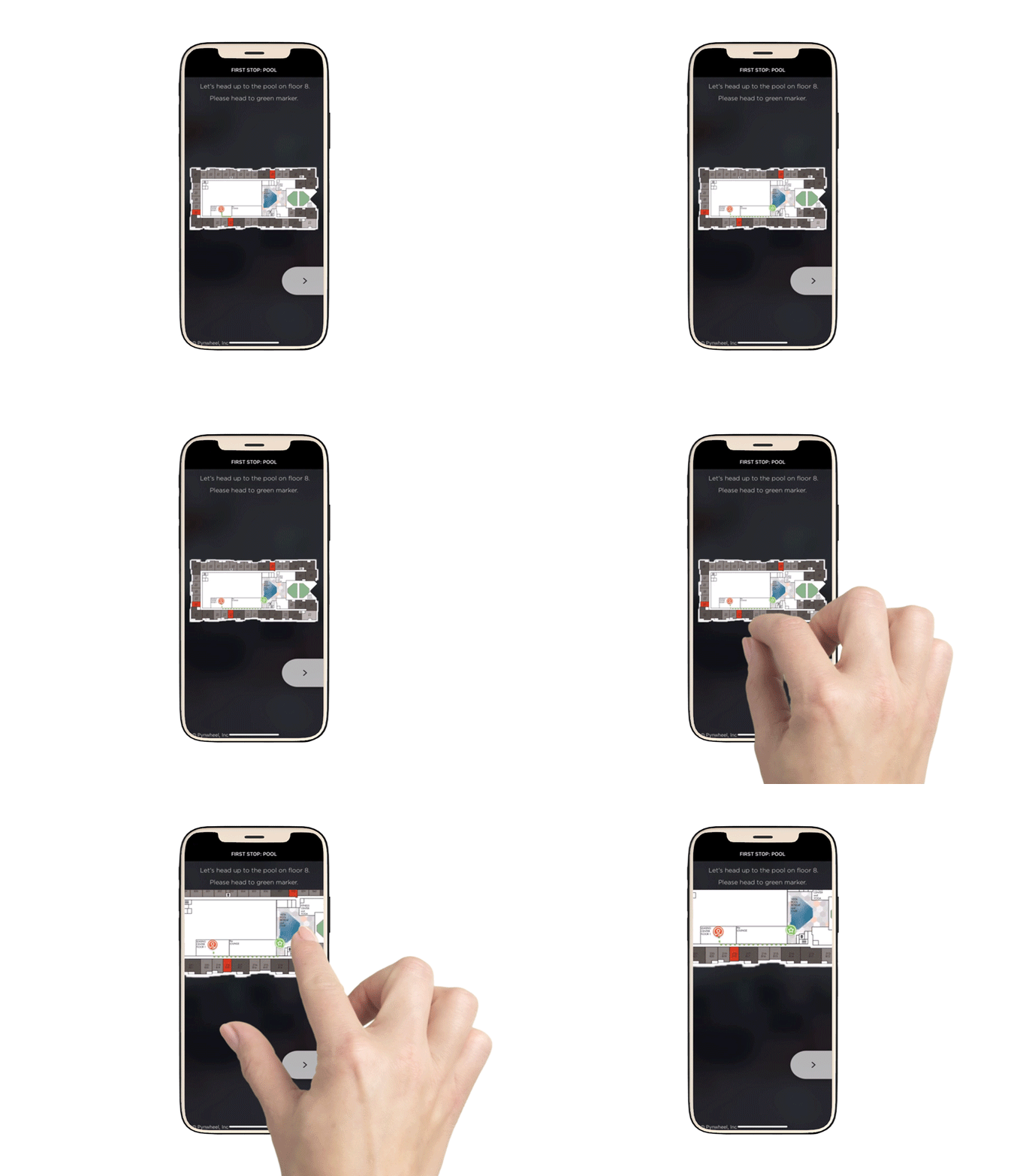
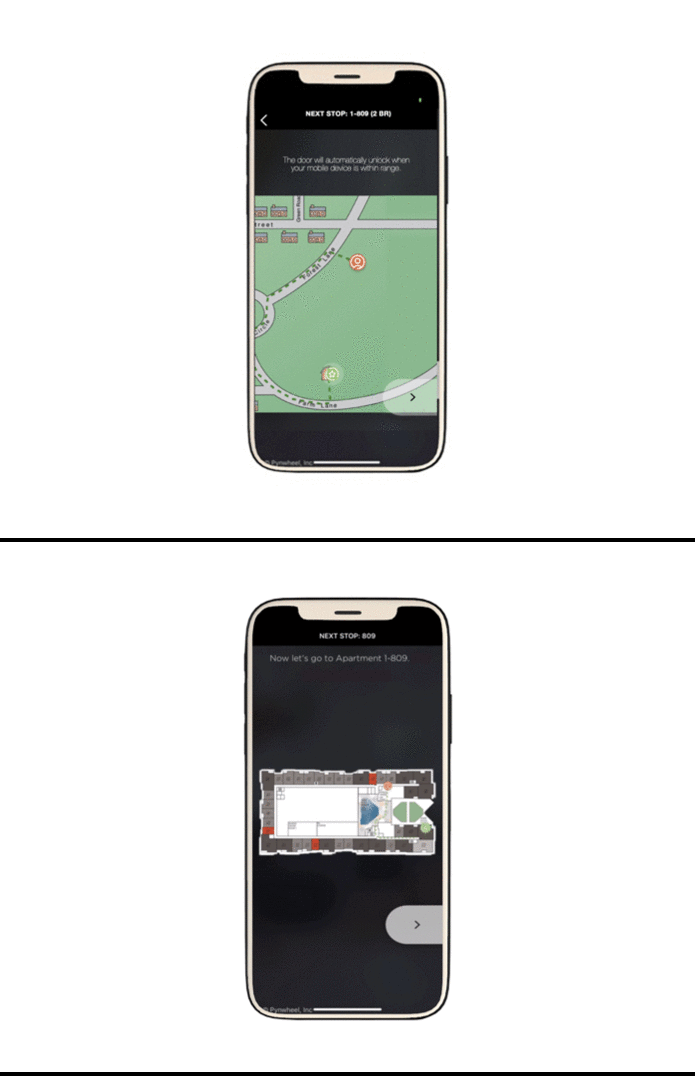
This is the part that makes Pynwheel the only self-guided tour that’s not self-guided. The whole tour runs on your property map, with animated wayfinding from stop to stop.
06 / ACCESS
Doors open right on cue
Designated doors along the tour open from the app through Pynwheel’s smart-lock partners: Latch, RemoteLock, igloohome and dormakaba.
07 / MEDIA GALLERIES
Every stop sells itself
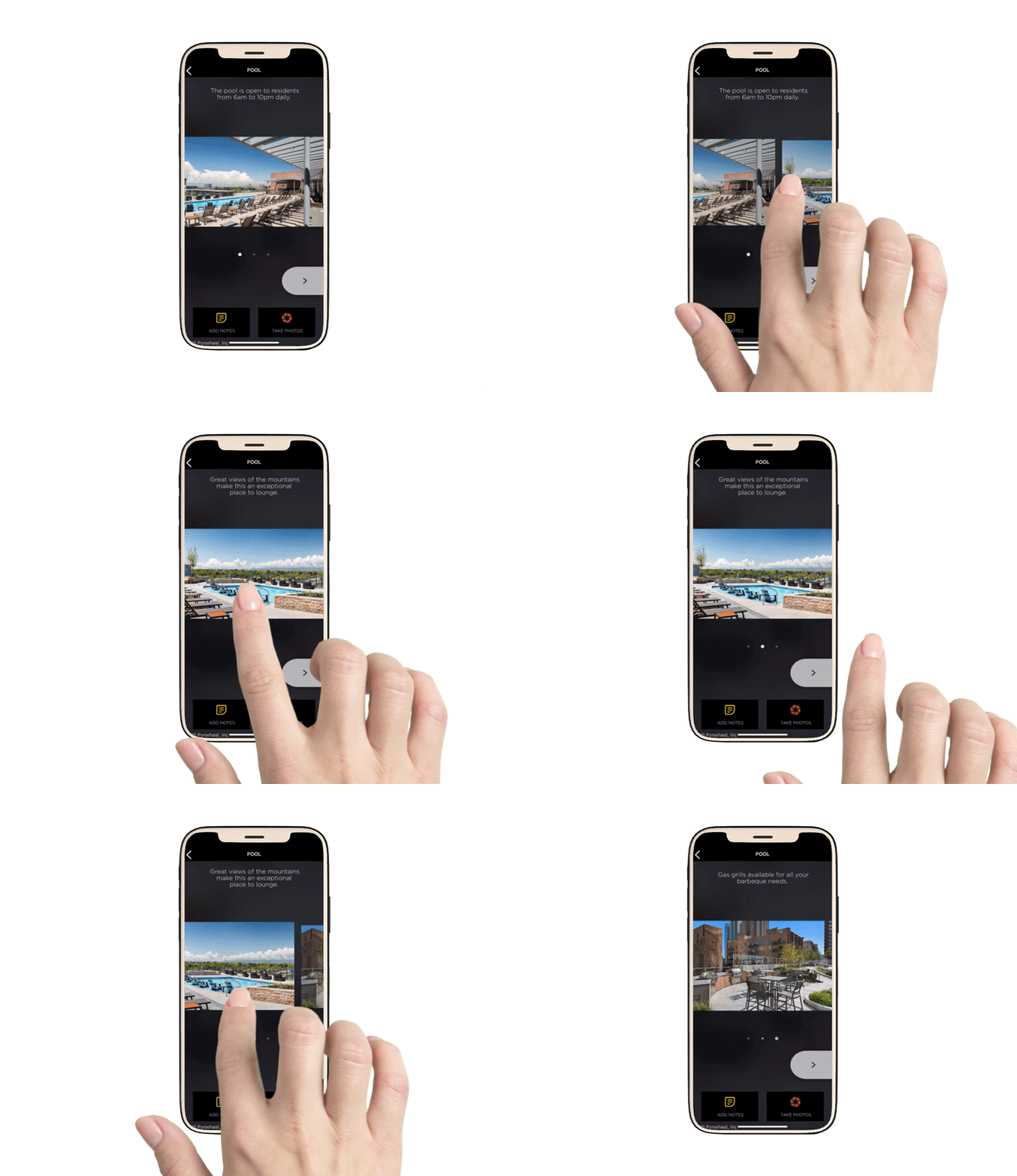
Upload images, videos and descriptions for each stop to show off finishes, views and amenities.
08 / NOTES & PHOTOS
Prospects' favorite feature
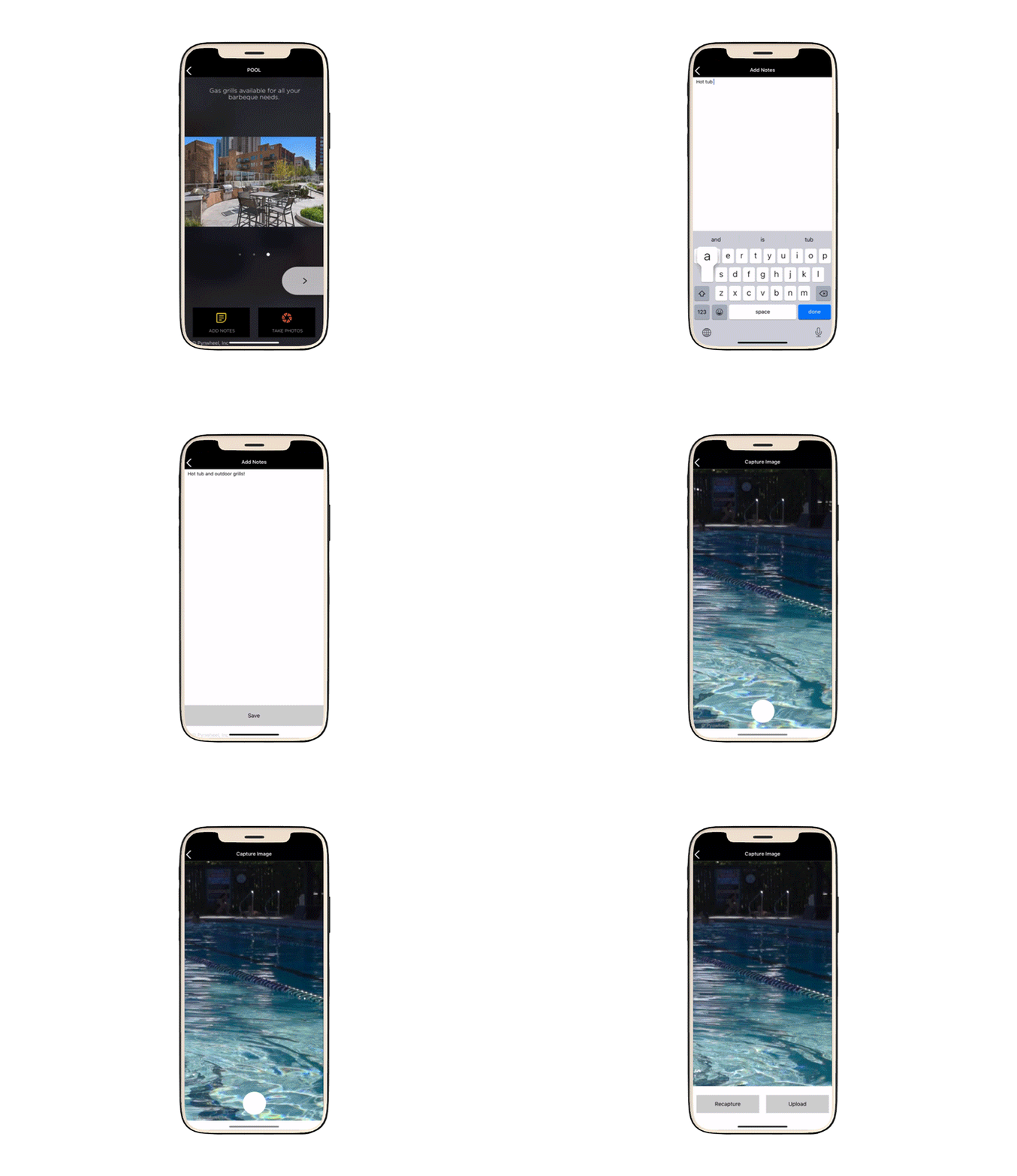
Prospects add their own photos and notes along the way, so they remember which kitchen had the good island.
09 / INTEGRATED DATA & LEASE
Apply before they leave
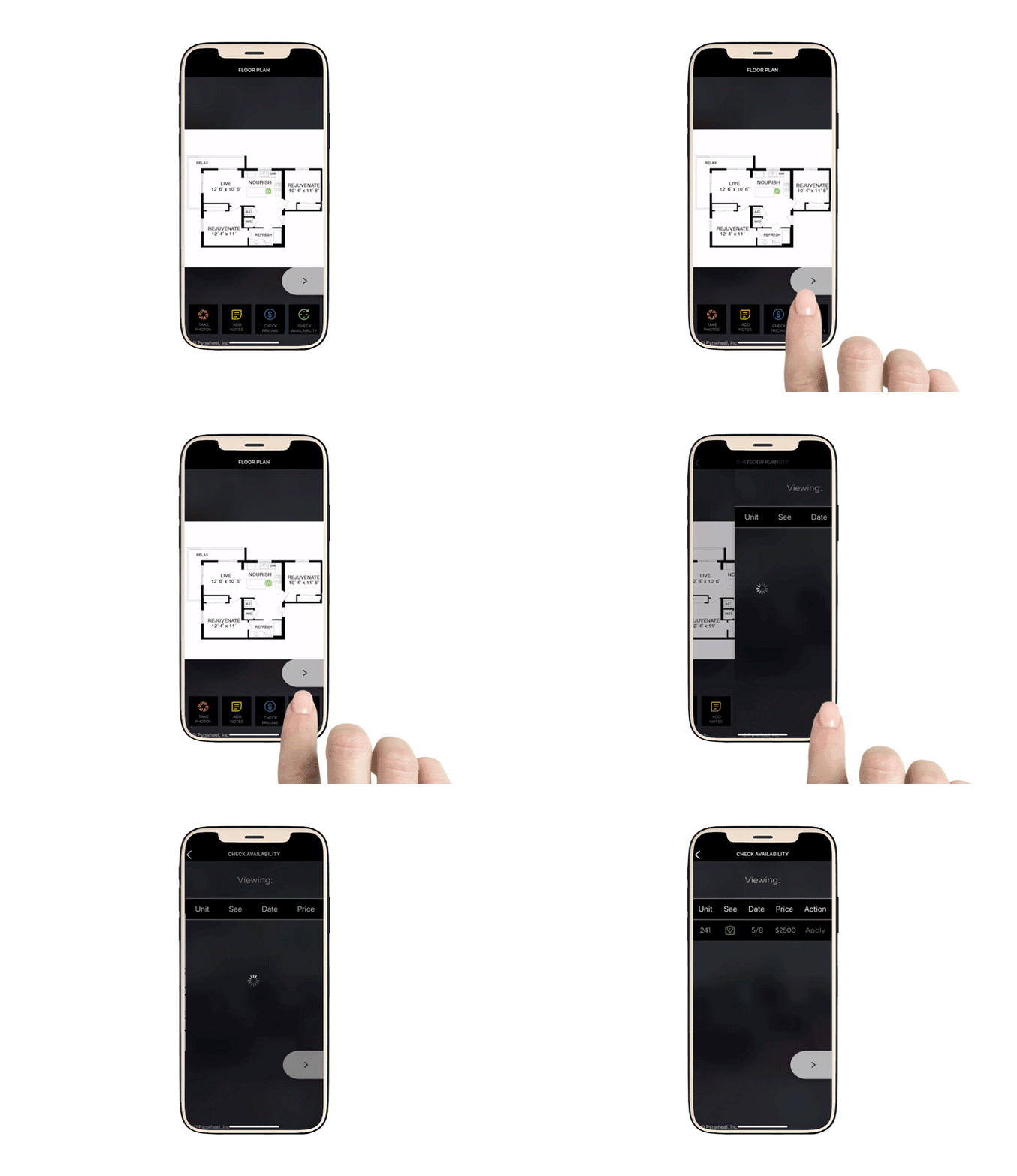
Live availability and pricing come from your PMS, and prospects can apply for a lease during their tour.
10 / SHARING
The tour keeps working afterward
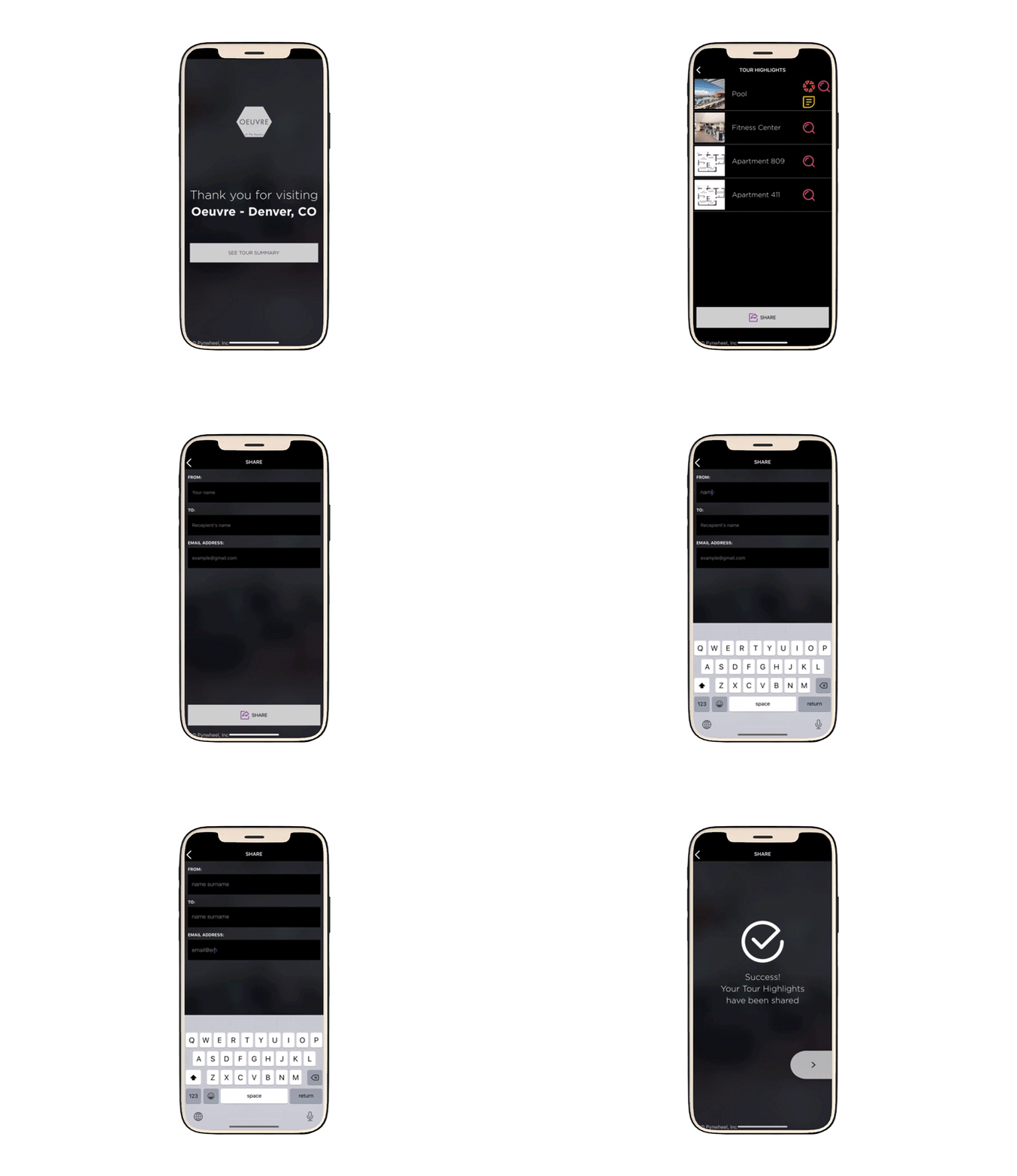
Saved highlights let visitors review their tour anytime and share it with roommates, friends and family.
11 / VISITOR INSIGHT
Your team sees everything
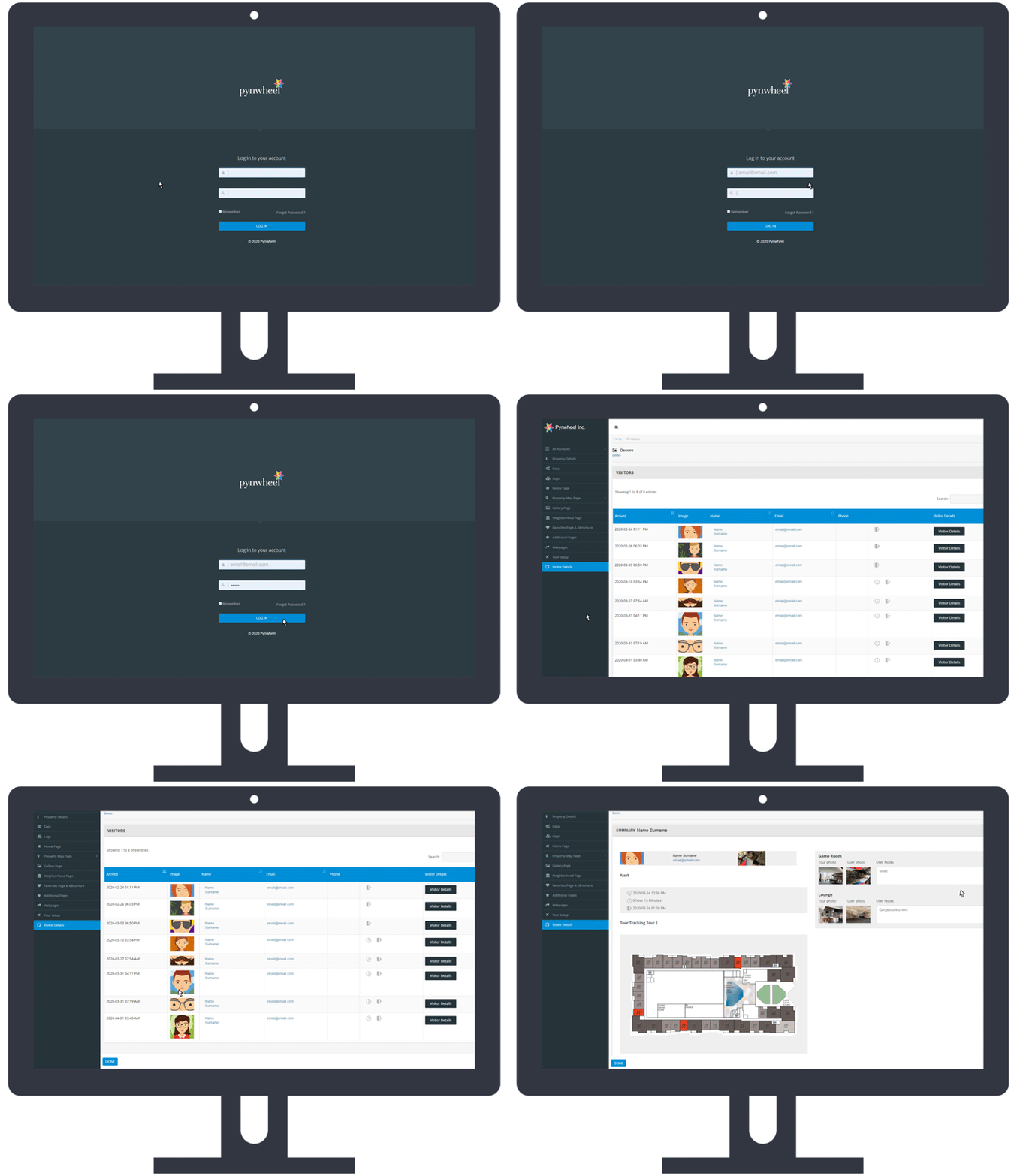
Auto-alerts and a Visitor Details page in Pynwheel Connect show arrival, ID results, extended visits, departure, abandoned tours, stops visited, tour length, and prospect notes and photos.
12 / ANALYTICS
Nerd out on your tour data
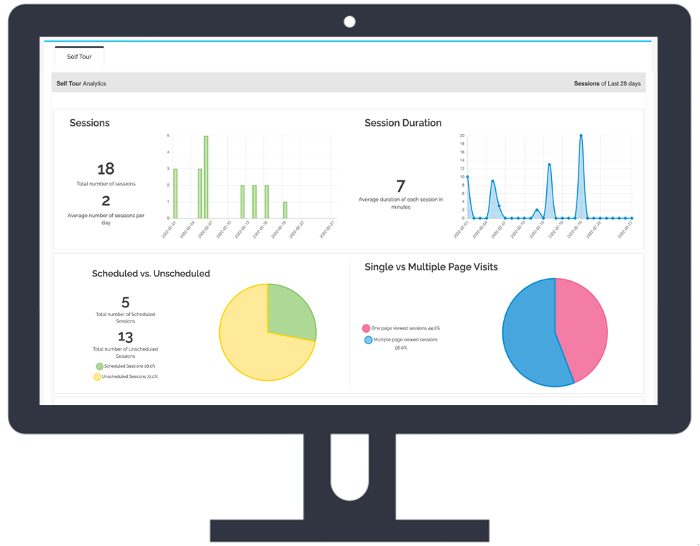
The Tour Analytics page in Pynwheel Connect shows number and length of sessions, clicks, features used and more.
See the only self-guided tour that’s not self-guided
We'll walk you through it live, and give you an early look at the new version coming in November.